Grades and GPA
See your classes and GPA in one place. Open a class to check individual assignments.
Check your school grades and see how your next test could affect them. Gradekit connects to your school’s existing grade portal.

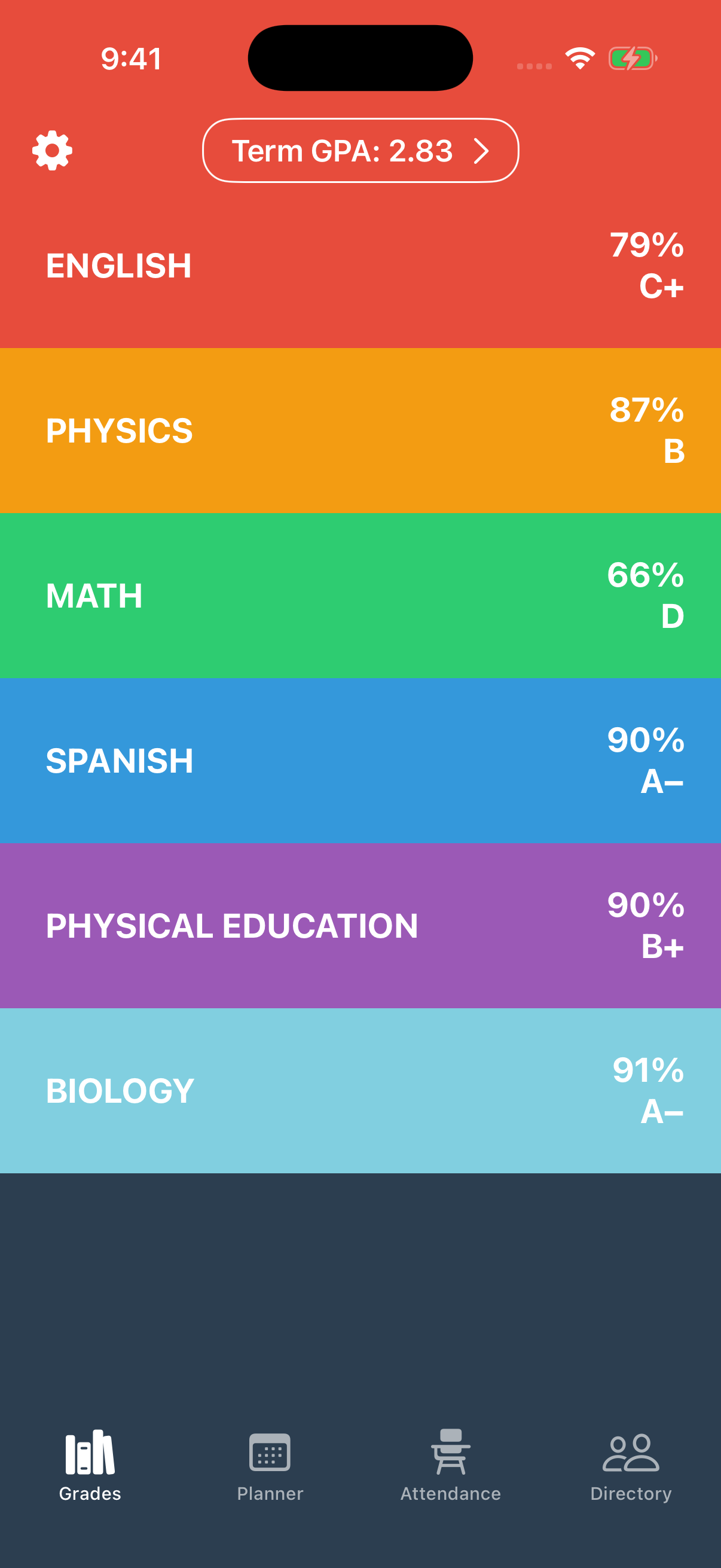
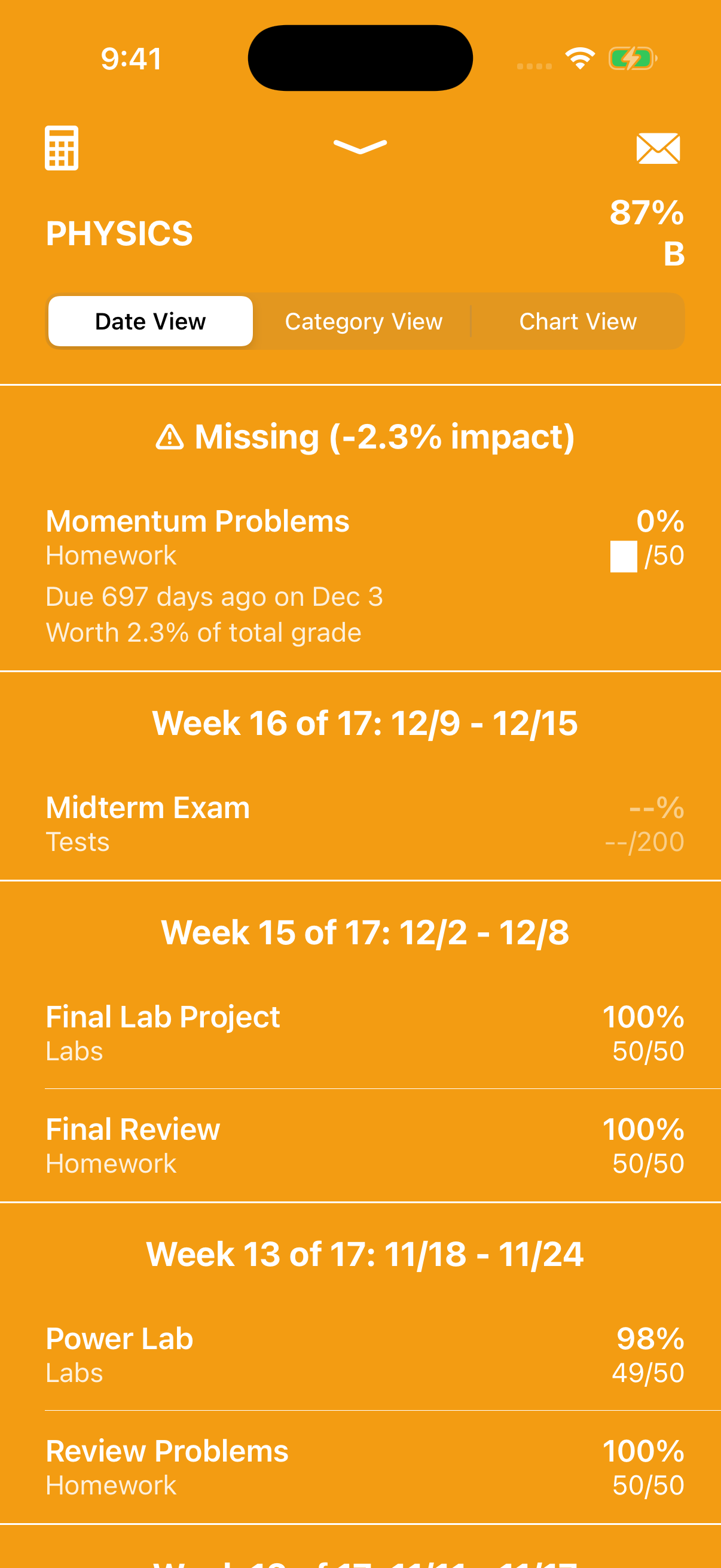
See your classes and GPA in one place. Open a class to check individual assignments.
Try a hypothetical assignment score. See how your next test could change your class grade.
Connect your school account once. Gradekit remembers it for your next check-in.
Enter a hypothetical assignment score to see how it would change your class grade. Gradekit handles the weights for you.
Try Gradekit →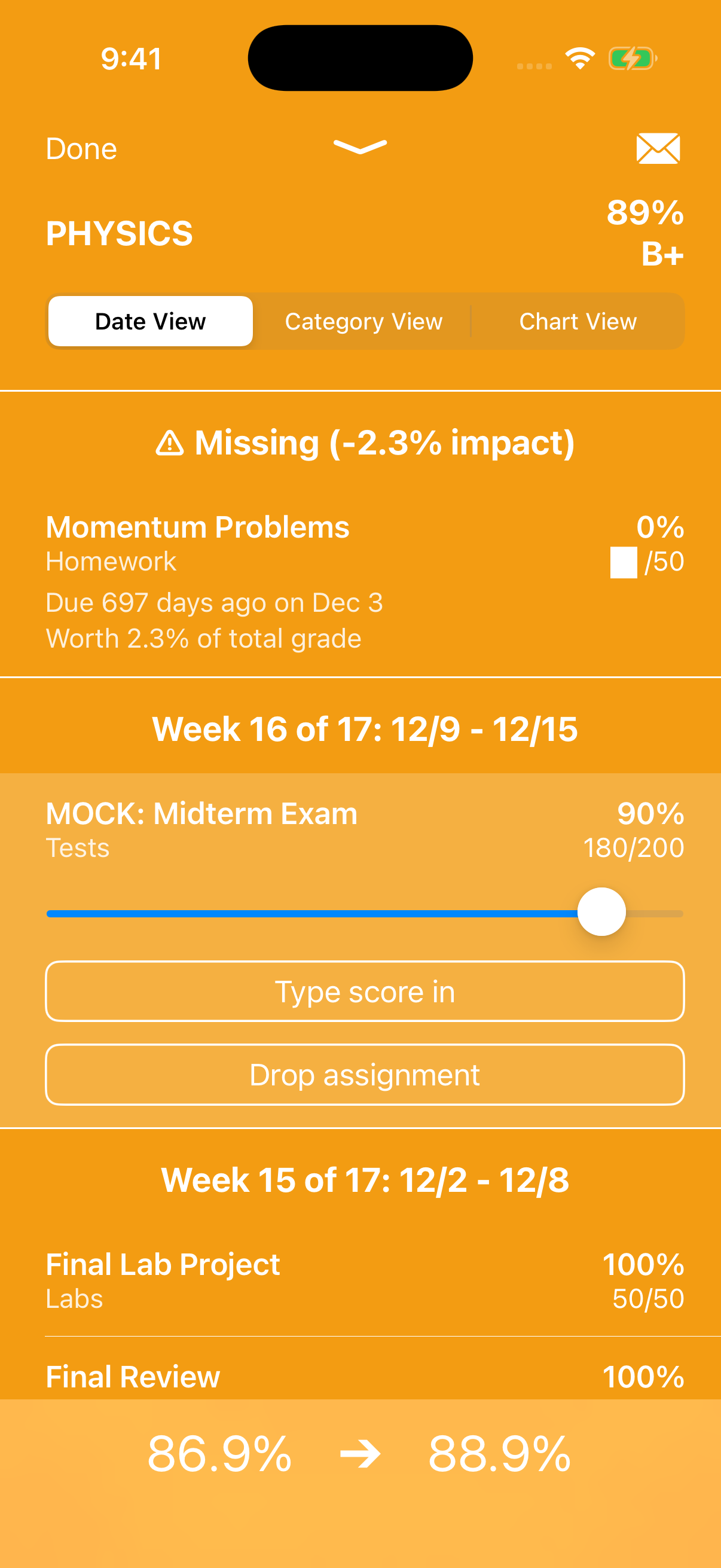
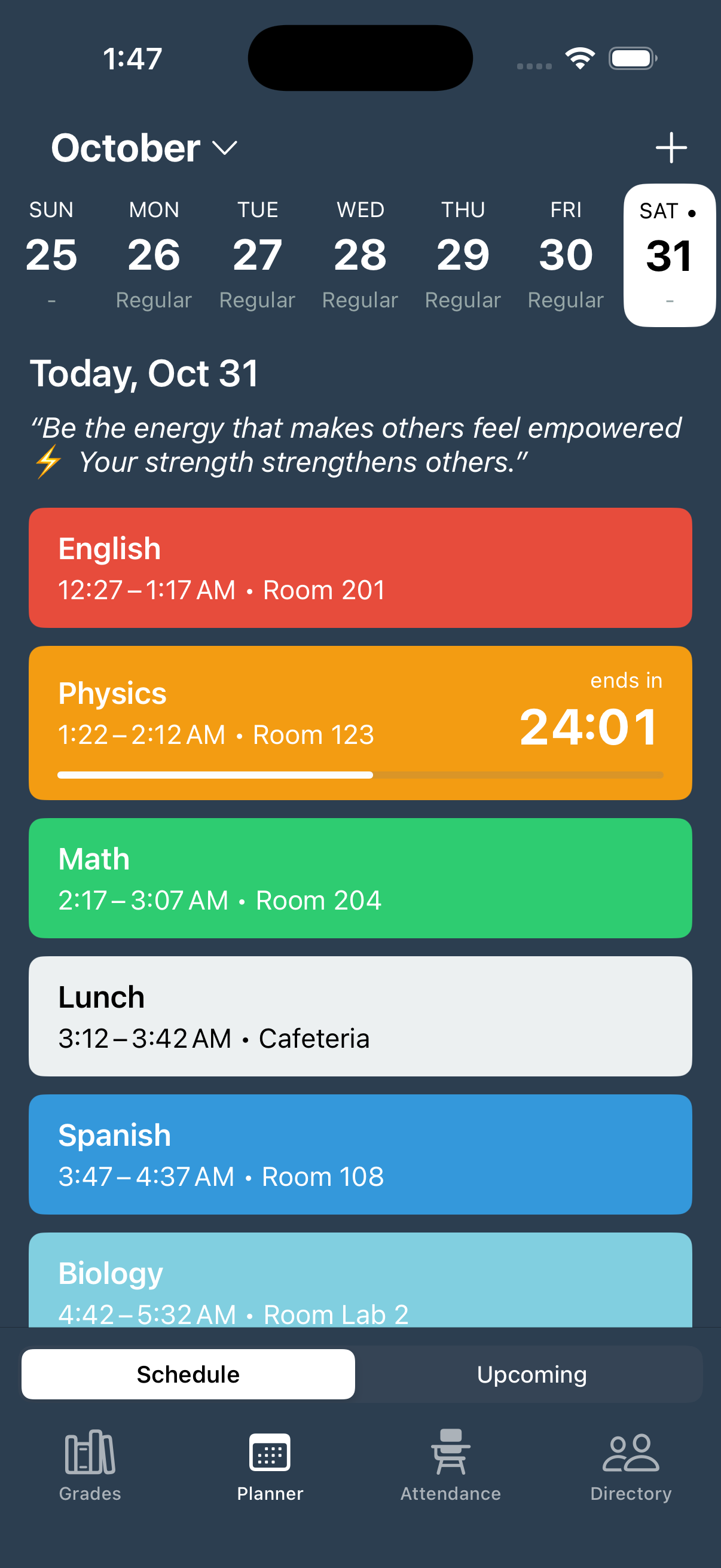
Keep track of your classes, rooms, and start times in the planner. See your school day at a glance, and add your own events.
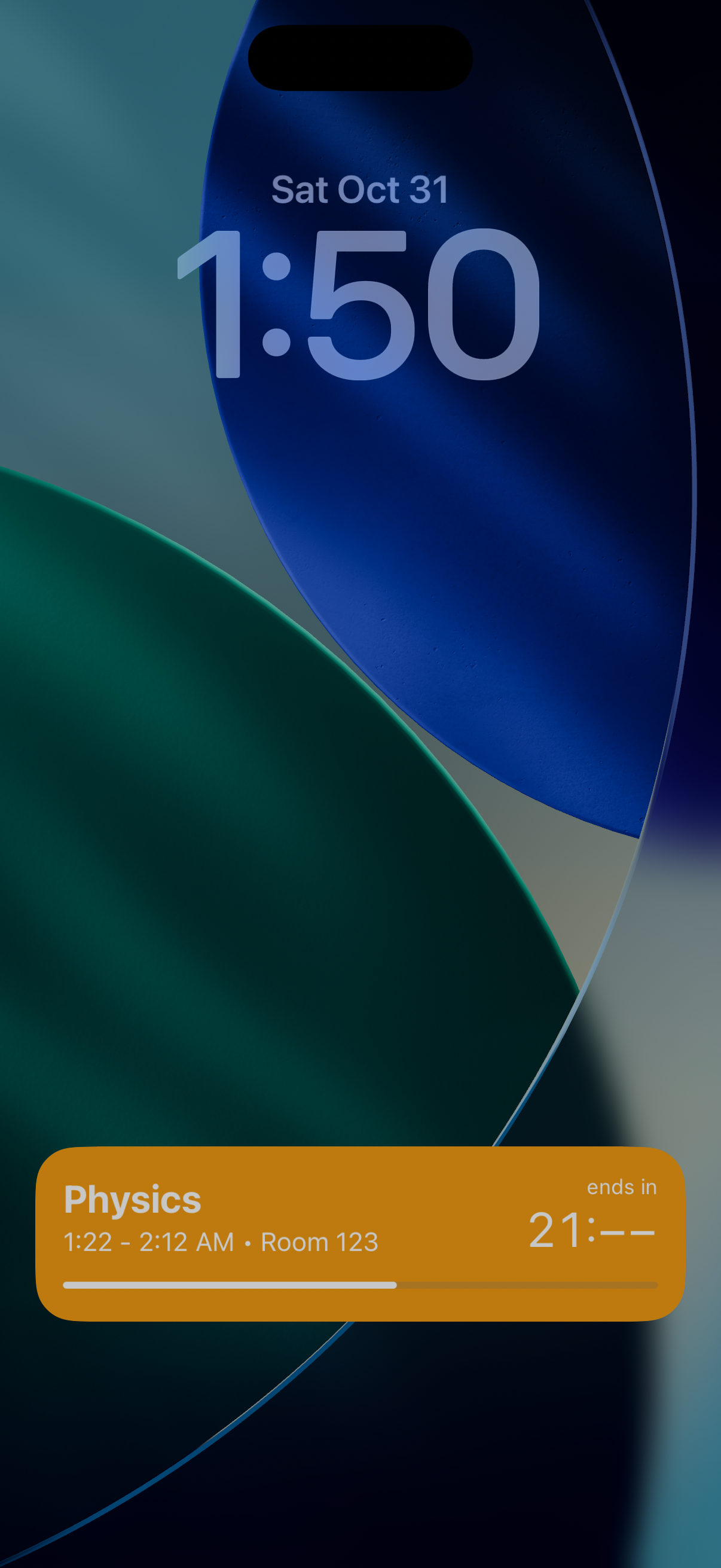
Check the time left in class right from your Lock Screen. Gradekit’s Live Activity shows your current class, room, and a countdown.
“It’s an easy and convenient way to check my grades on the go without having to open my computer!”
“mock grade your assignments to see the minimum score you can get on an assignment while still keeping your grade up.”
“It makes keeping track of my son’s grades so simple and convenient.”
“I also think the estimated GPA feature is super helpful because it gives me a clear idea of how I’m doing in all my classes.”
“It helps me keep great track of my schedule, including when my classes are and what time they start.”
“Beyond fixing the issue, I truly felt cared for as a customer. Thank you for the extraordinary service!”
Gradekit works with these school systems. Search for your district in the app to check availability.
Gradekit, formerly Grades App, is an iPhone app for students and parents to check school grades, track GPA, and explore how future assignment scores could affect a class grade.
Gradekit supports more than 10,000 school districts across the systems listed above. Download the app and search for your district to check availability. You can suggest a district if yours is missing.
Try a hypothetical assignment score to see its effect on your class grade. Gradekit handles the calculation and weighting, helping you plan for your next test. Predictions are estimates; your school’s gradebook remains the official record.
Gradekit is free to download, with optional in-app purchases. See the App Store for current purchase options.
Open Settings in Gradekit and choose Get help, or visit our support page.